01A journal that works
A journal that works
the way you do.
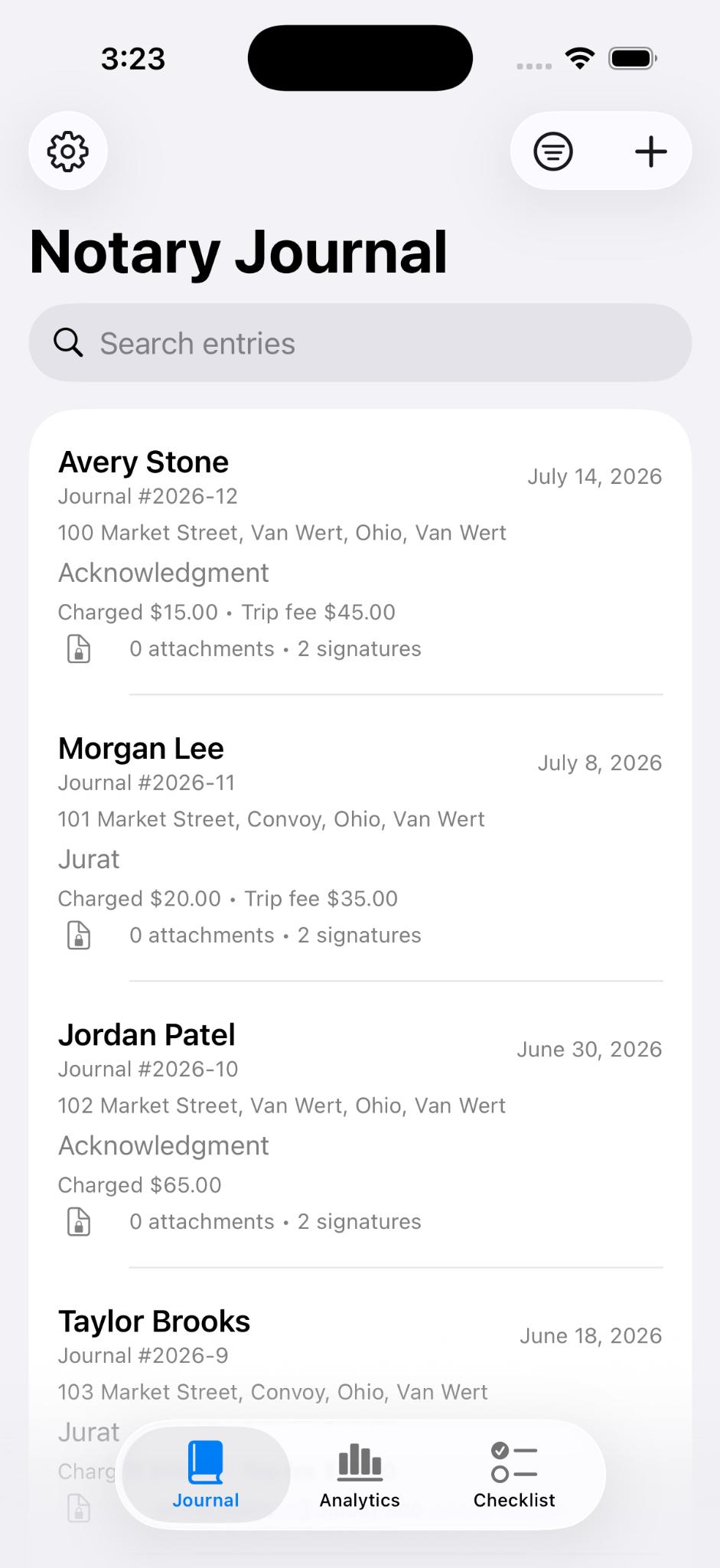
Record client details, document types, fees, locations, notes, and more. Find any signing quickly with search and filters.
 NotaryJotter
Finally, a digital journal that works the way notaries do. Spend less time documenting and more time signing.
From the first signature to your end-of-month totals, NotaryJotter gives your business a calmer, more capable home without making your journal feel like another chore.
Record client details, document types, fees, locations, notes, and more. Find any signing quickly with search and filters.
Scan documents, add photos, collect signatures, and log precise GPS—all without leaving the entry.
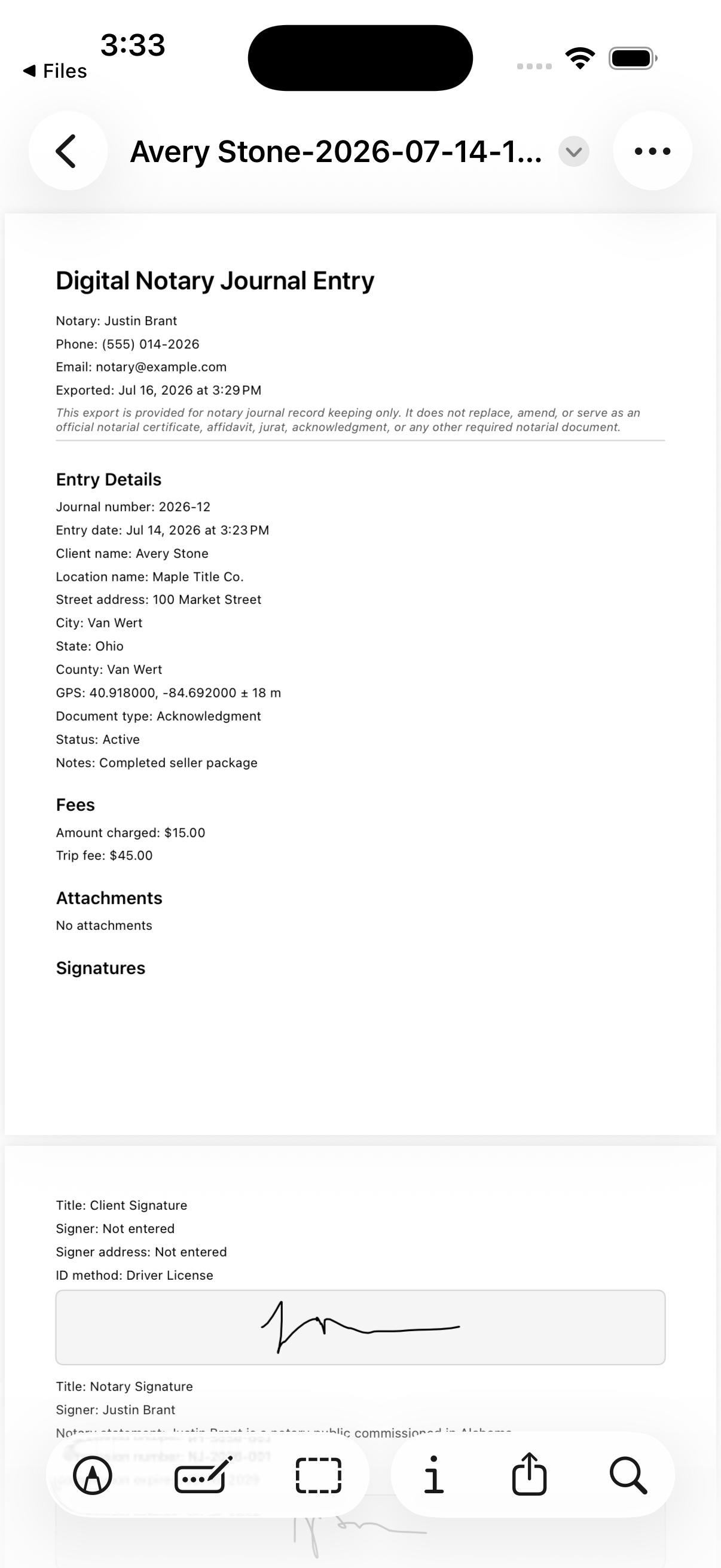
Create polished journal PDFs and include supporting scans when it’s time to share or archive.
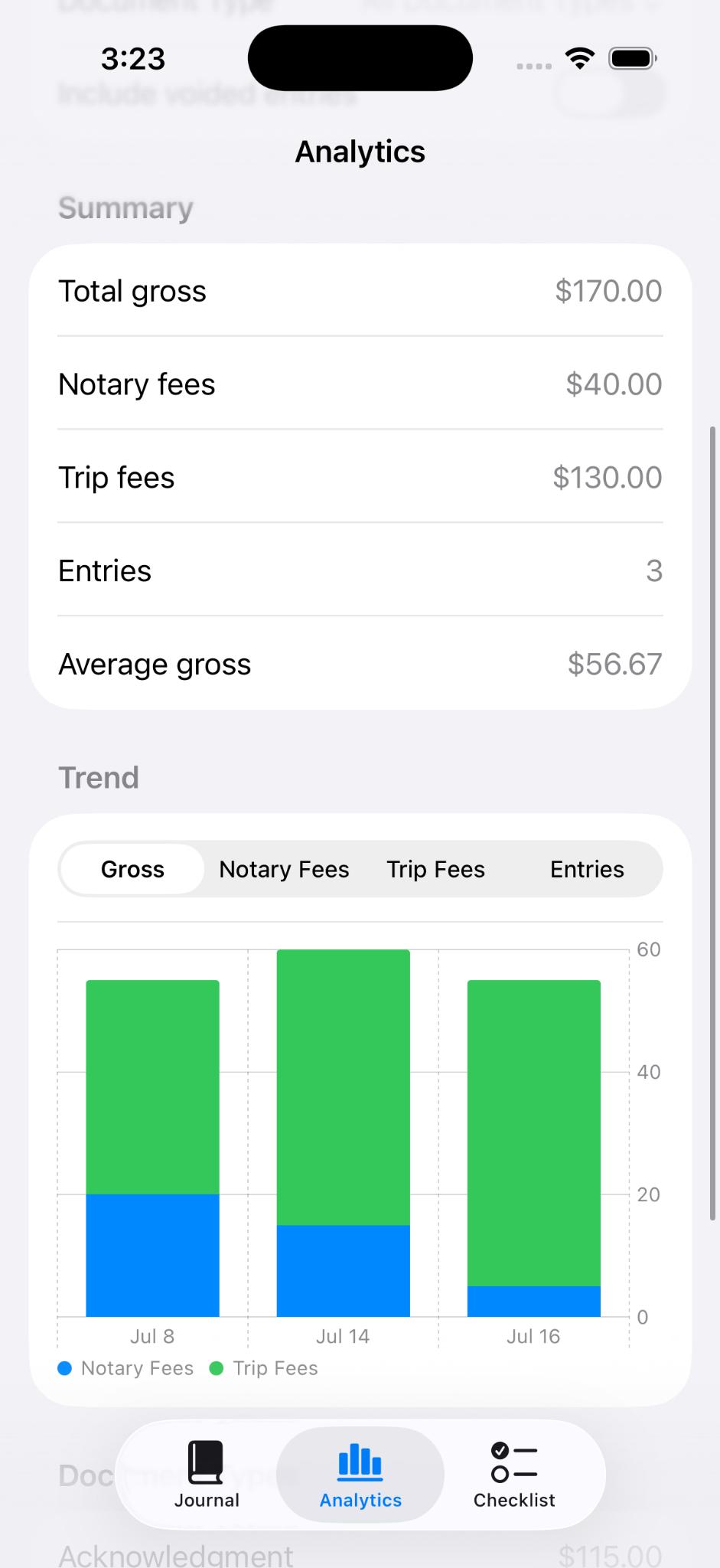
See fee totals, signing volume, trip fees, and trends by document type.
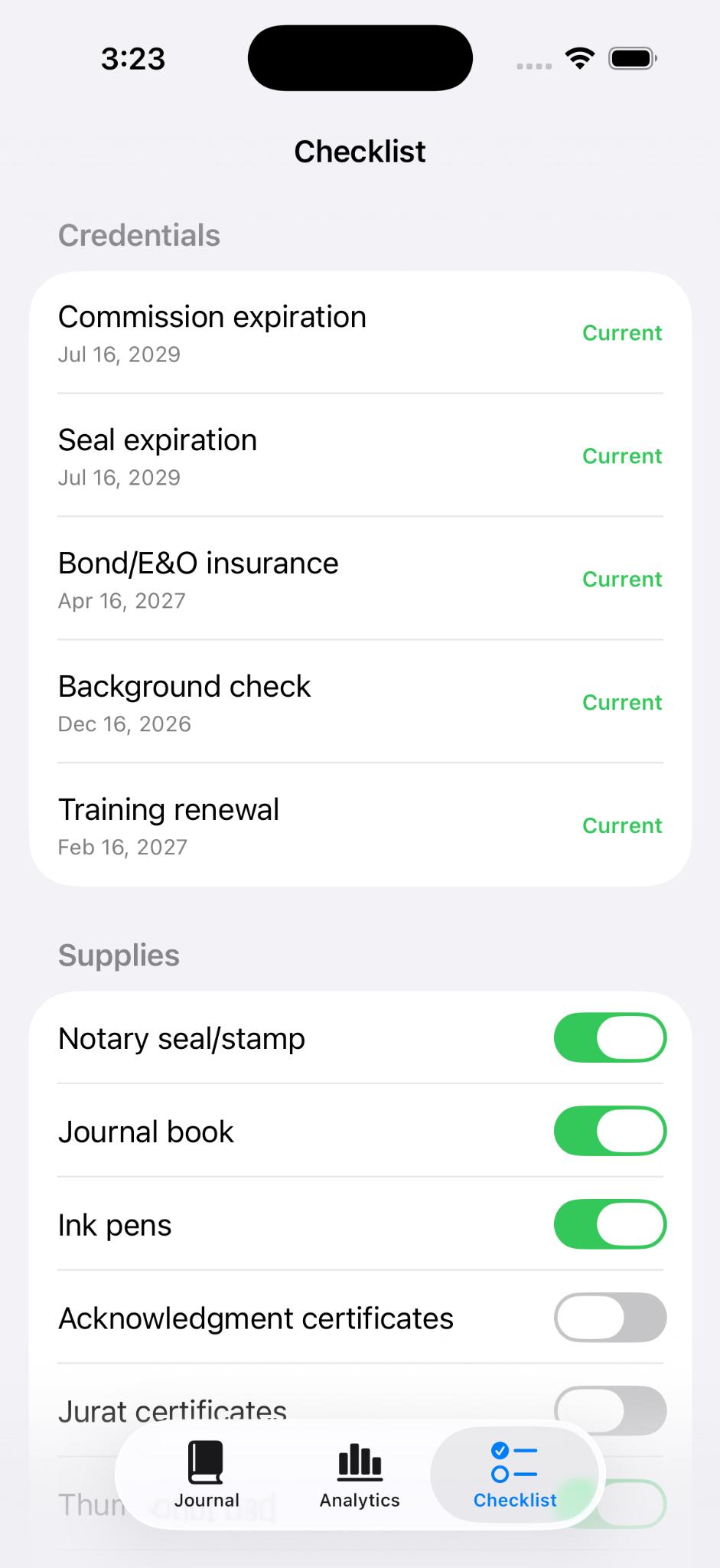
Track commission renewals, insurance, training, and the supplies you need before each appointment.
Paper works, but it was never built for searching, backing up, exporting, or seeing how your notary work is actually performing.
Flip pages and scan handwriting.
Search entries, filter records, and pull up details faster.
Easy to miss fields when the appointment is moving.
Structured entries keep signer, document, fee, location, and notes together.
Totals and trends require manual math.
See signing volume, fee totals, and document patterns in one place.
Sharing usually means scans, photos, or copies.
Create clean PDF journal exports when you need records outside the app.
Edits depend on visible handwriting, cross-outs, and manual notes.
Changes are logged so entries cannot be quietly edited without a record.
A lost book can mean lost history.
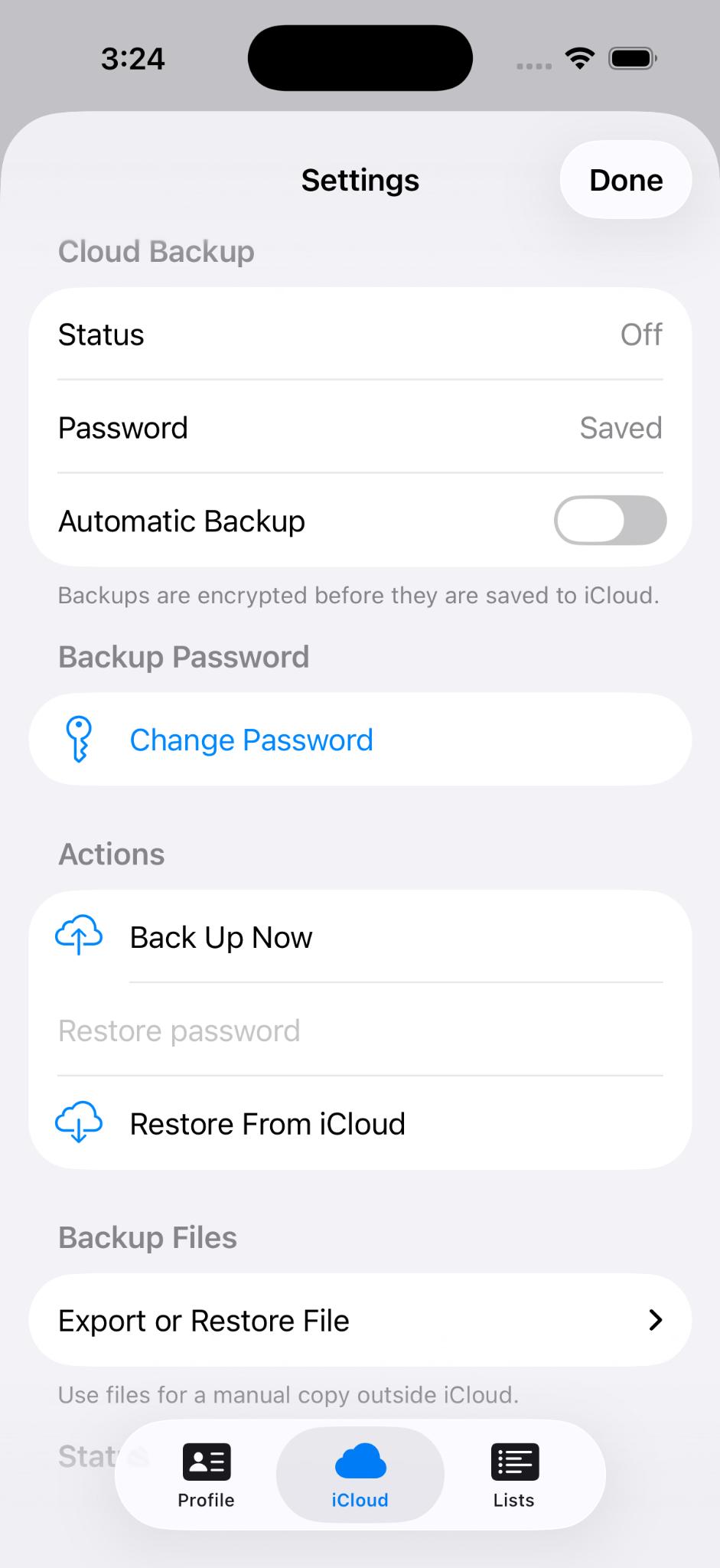
Use encrypted backups to help protect your journal history.
State compliance varies. NotaryJotter is designed to support notaries with digital record keeping. It is the responsibility of each notary to ensure compliance with the laws of their commissioning state.
NotaryJotter is built to keep sensitive journal information protected on your device and in your backups.
Built for the details that matter—from the signer in front of you to the records you may need years from now.
One thoughtful tool for the full notary workflow.
Trying the app with a promo code? Send the notes that matter most: what felt useful, what felt unclear, and what would make this fit your signing workflow.
Yes. Your journal is protected with device authentication, encrypted local storage, and password-encrypted backup options.
Yes. You can create professional PDF journal records and optionally append supporting image and scanned-document attachments.
Yes. Automatic backups can run after journal changes and when the app enters the background. Backups are encrypted using your password.
Yes. Add your own document types, identification methods, checklist items, and professional profile details.
NotaryJotter was built with Ohio notaries in mind, but state compliance varies. Notaries outside Ohio should check their local journal and recordkeeping requirements before relying on any digital journal.
Bring confidence and clarity to every signing.
Download on theApp Store